
Analyze the codebase, review its risks and reuse the context.
Setsumei builds a code relationship graph and ranked findings. Review the results in a local GUI brief, investigate selected candidates, or let a compatible coding agent query the stored analysis through MCP. Refresh the analysis as the code changes.
One analysis, several ways to use its context.
CONCEPTUAL PRODUCT FLOW · CORE ANALYSIS IS USEFUL WITHOUT AI
Select the source state
Choose the repository state and analysis configuration. Retain the run and freshness information so reviewers can check what the results describe.
Connect the code.
Rank the candidates.
Resolve calls between functions, methods and classes across files. Inspect how relationships were resolved, their confidence and what remains unknown.
Flag security, performance, reliability and structural candidates. Identify dead code, subsystems and bottlenecks, and use architectural importance to focus review.
 STORED ANALYSIS
Reuse the graph
and ranked findings
The analysis provides context for the brief, coding-agent queries and selected investigations. Check its source state, coverage and freshness.
Choose the path your task needs. These are separate ways to use the analysis.
Open the local GUI brief
Open the generated HTML in a browser to explore the GUI scan brief and supporting detail. Start with the review queue, then inspect findings and relationships.
See the GUI examples belowExamine a selected candidate
Optional AI investigation examines candidates already located by static analysis, using relevant code and graph context. Inspect its confirmation, dismissal or unresolved outcome before acting.
Query context from an agent
A compatible coding agent can query dependencies, candidate findings and source context from the stored analysis. Setsumei’s MCP tools are read-only; your organization controls the agent’s other tools and model handling.
Explore MCP for coding agentsReuse the analysis in local briefs, later reviews and coding-agent queries. Check freshness and rerun after relevant changes. Optional model-assisted steps use the provider configured for that workflow.
From CLI analysis to a local GUI brief.
Run the scan against your codebase, then open its generated HTML to explore the GUI scan brief and supporting detail in a browser. Compatible coding agents query stored analysis through a separate MCP connection.
Review coverage before relying on the graph.
Coverage varies with language, build setup, dynamic behavior and repository structure. Check resolution coverage and unresolved relationships before drawing change-impact conclusions. Refresh after relevant edits; a source-derived graph does not establish runtime behavior or release safety.
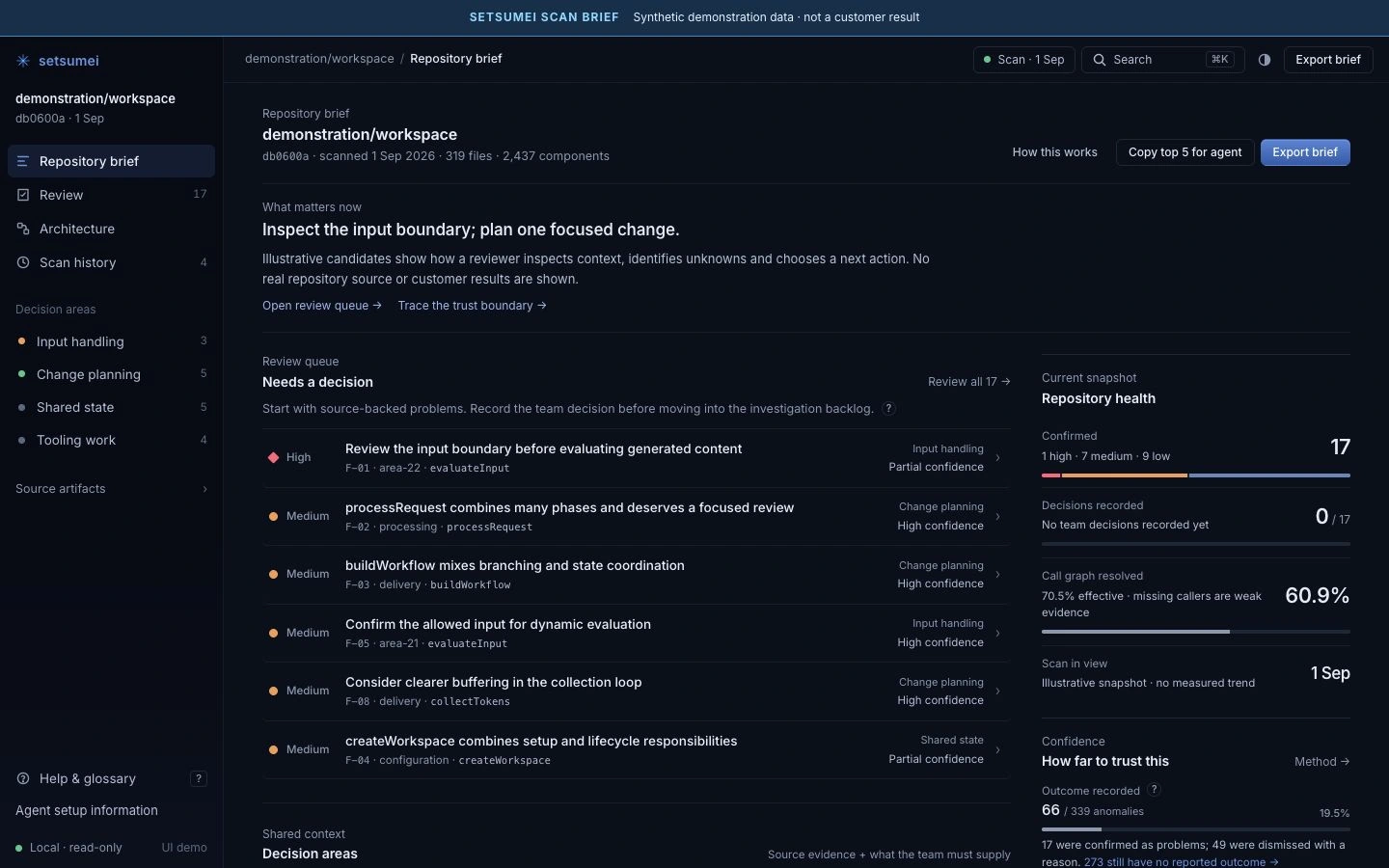
SETSUMEI SCAN BRIEF · DEMONSTRATION DATA
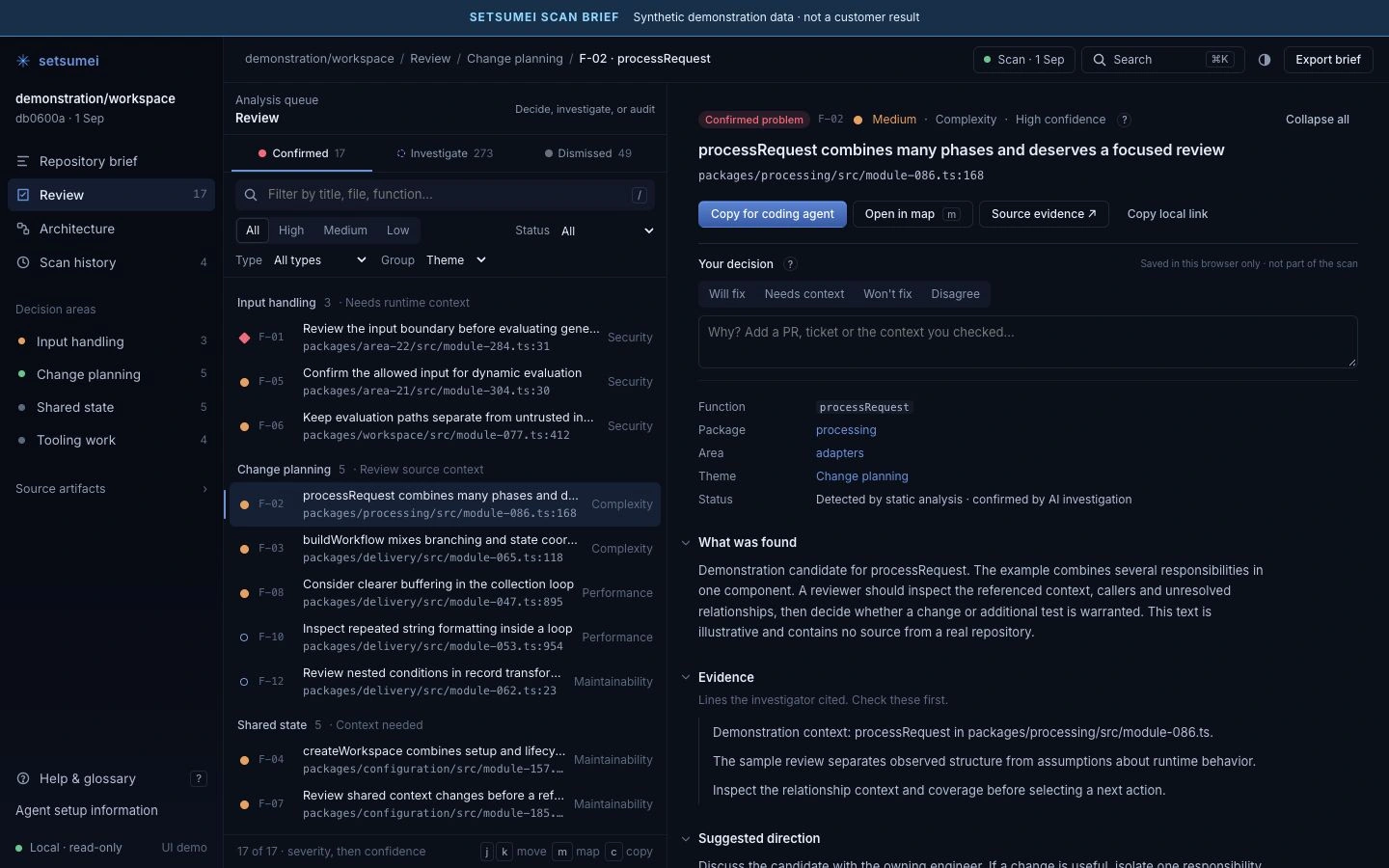
SETSUMEI SCAN BRIEF · DEMONSTRATION DATA
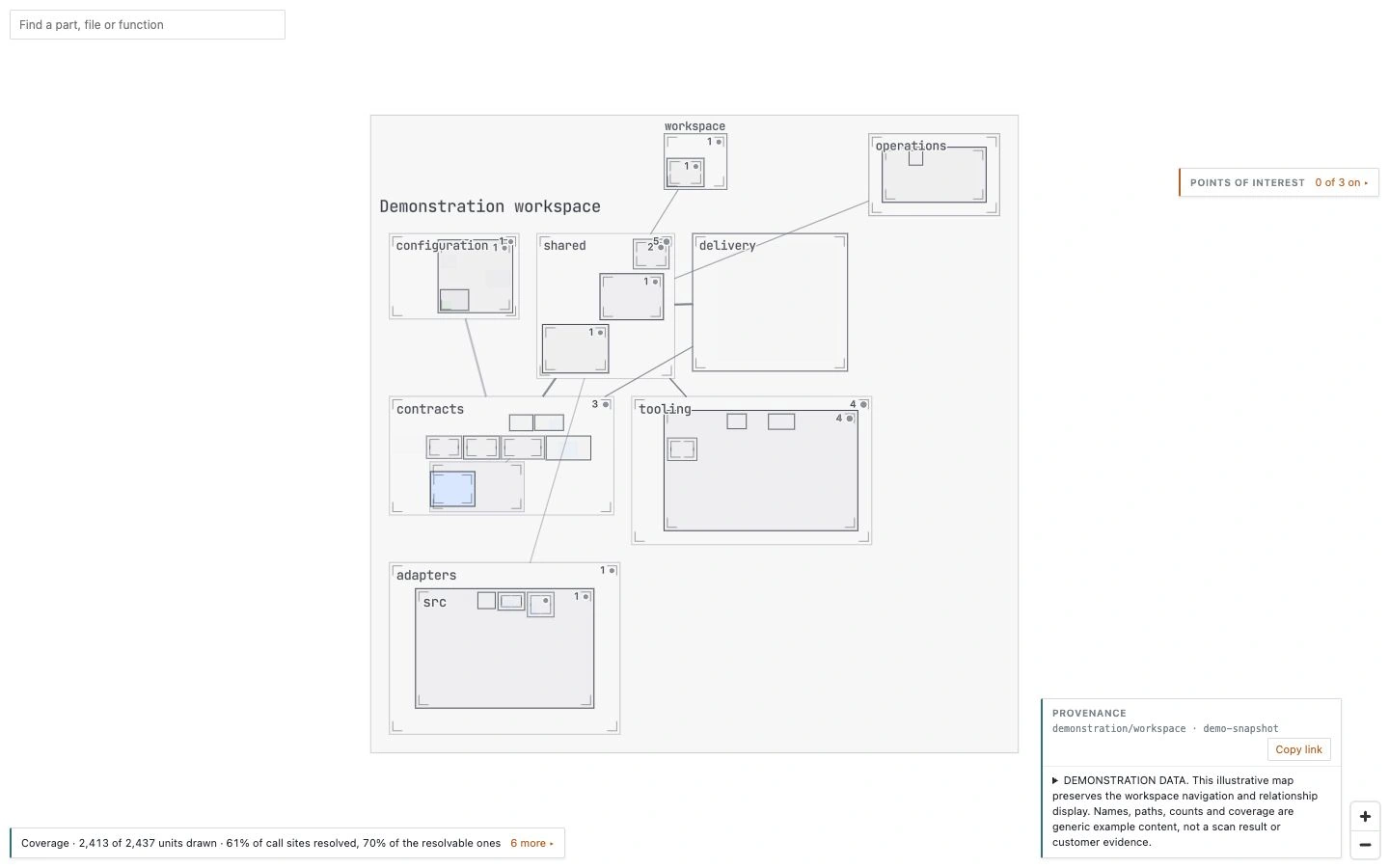
Current GUI with synthetic demonstration data. Displayed areas are folder-derived groups, distinct from graph-inferred subsystem analysis.
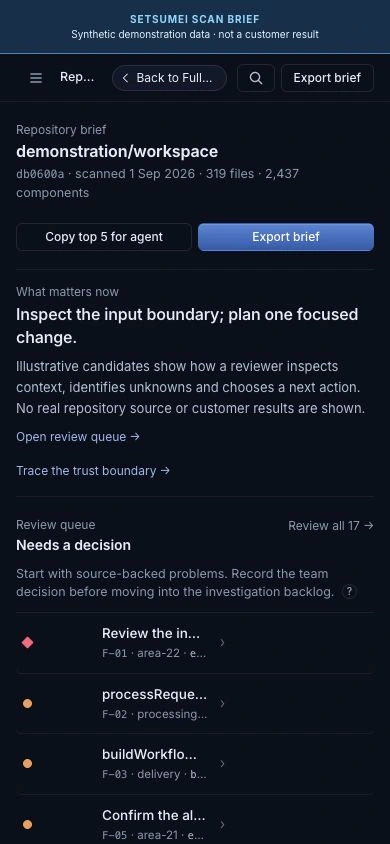
SETSUMEI SCAN BRIEF · DEMONSTRATION DATA
Give your coding agent the context around its next edit.
Query dependencies, candidate findings and source context from the stored analysis, then check freshness before planning a change. The MCP tools are read-only; your organization controls the agent’s other tools and model handling.