

See how a scan becomes a usable codebase brief.
Use the overview to orient, the map to follow relationships and a finding to focus deeper investigation. These current product views use synthetic demonstration data, not a customer result or benchmark.
Start with a focused picture of the codebase.
Run the analysis in your environment, then open its generated HTML in a browser. The scan brief brings the overview, prioritized findings and coverage context together so you can choose where to start reading. Check which source state and scope your analysis represents.
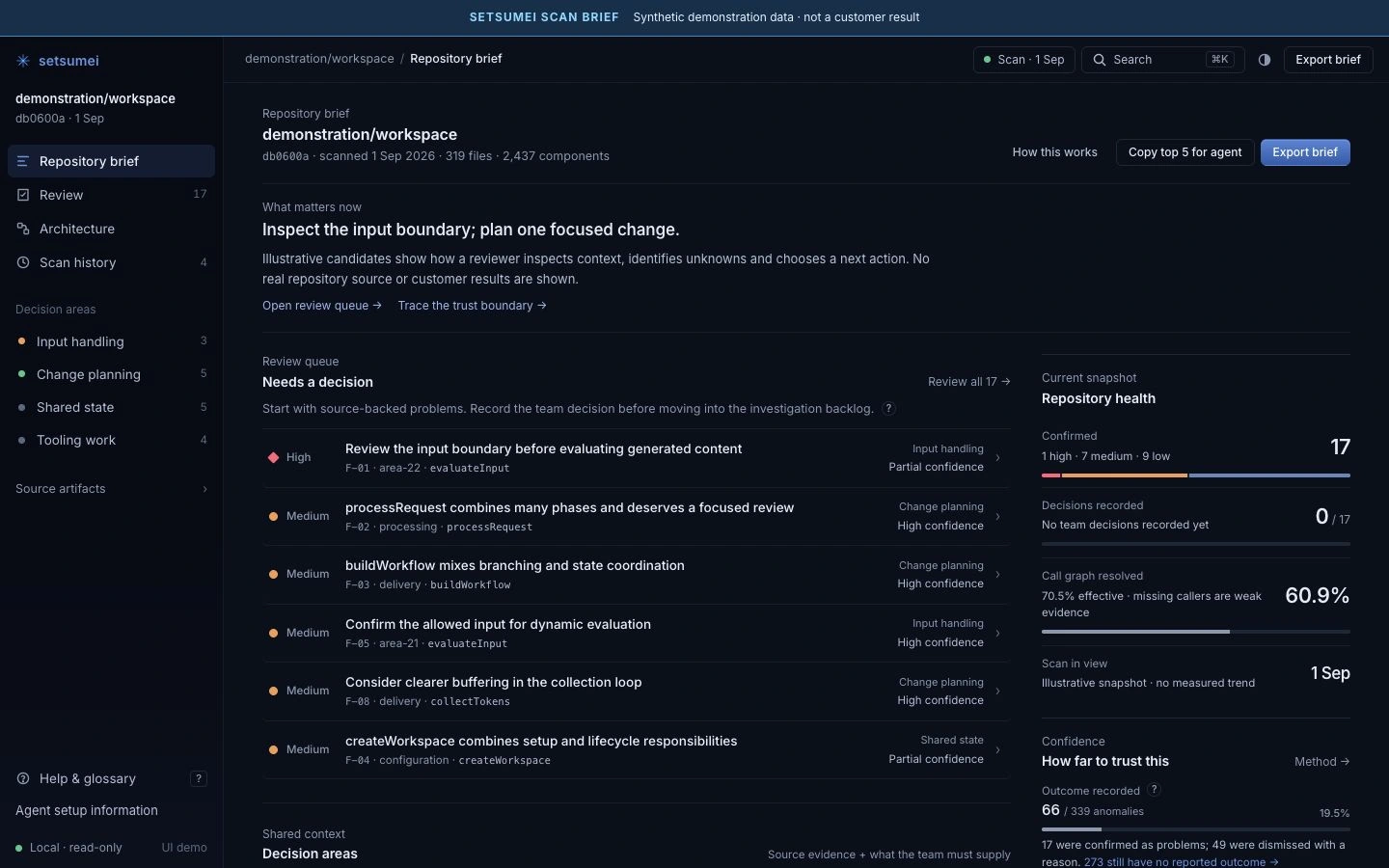
SETSUMEI SCAN BRIEF · DEMONSTRATION DATA
Ask what depends on the component you may change.
The sample queue includes processRequest, a component that combines several phases. Follow its relationship context to identify callers and dependencies that deserve closer reading before changing one responsibility. Use the map to orient that investigation; unresolved relationships show where source reading or runtime checks may still be needed.
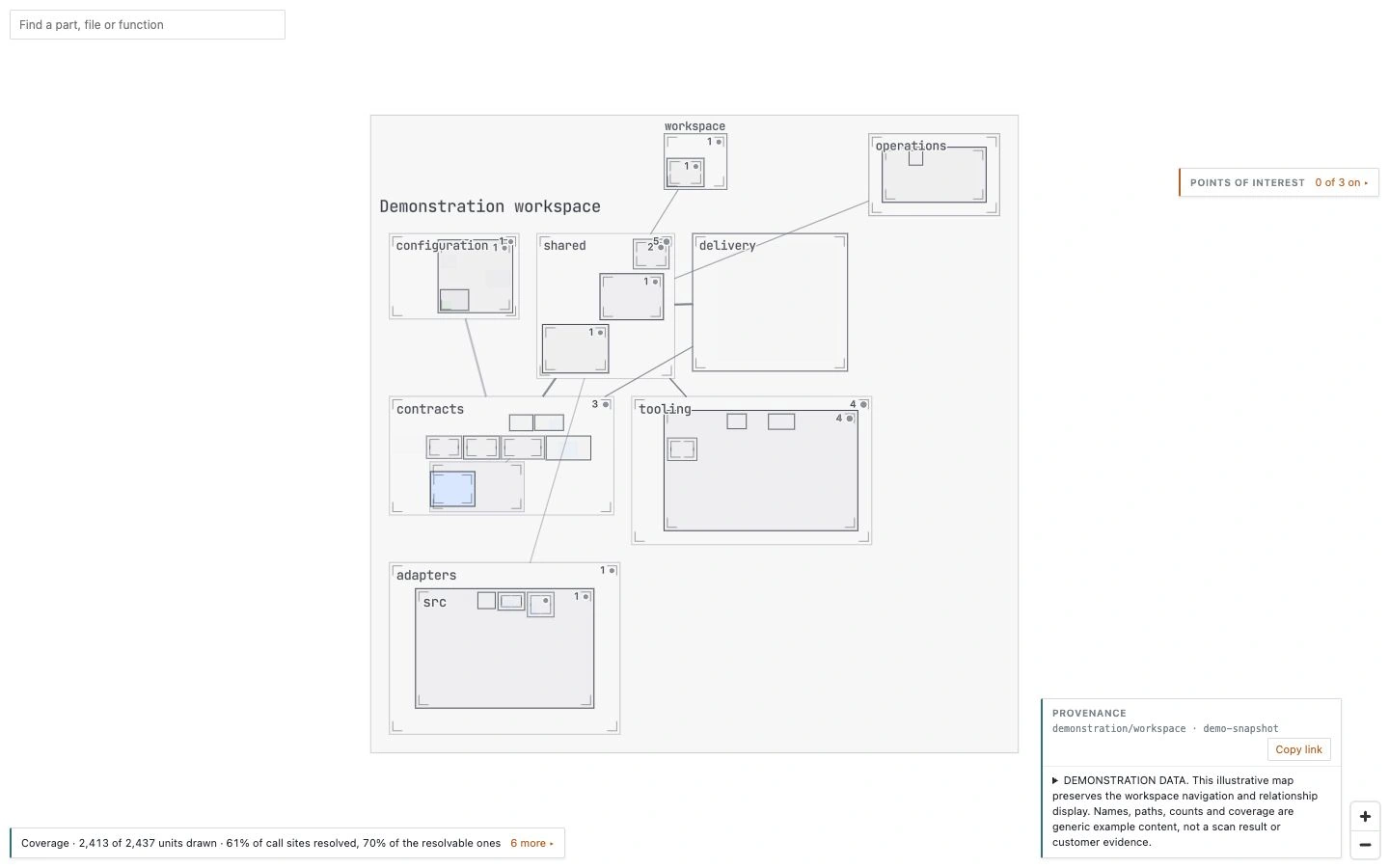
The displayed areas are folder-derived groups, distinct from graph-inferred subsystem analysis.
Understand why a finding deserves attention.
The pictured processRequest finding shows the issue description, source reference, supporting context and suggested next step. The sample is shown after model investigation; its status and reasoning are demonstration content. In your analysis, inspect the detector evidence and structural priority. If optional investigation has run, compare its conclusion with the source before choosing a change.
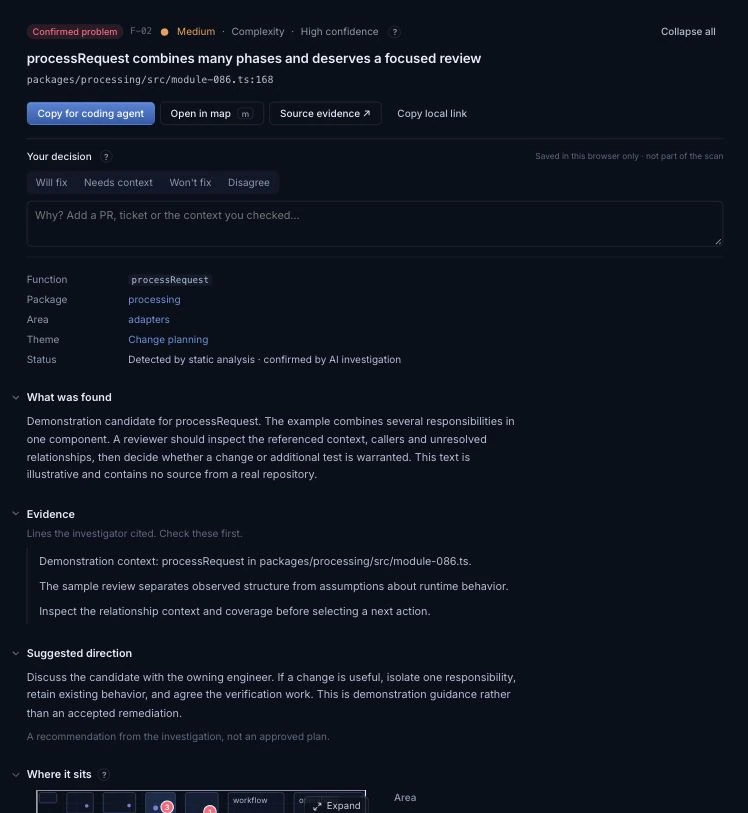
SETSUMEI SCAN BRIEF · DEMONSTRATION DATA
Turn the brief into the next useful engineering task.
Inspect the callers, choose one responsibility to isolate and identify the tests that would show existing behavior is preserved. Keep the agreed work in your team's existing tools, then refresh the analysis after changes.
A compatible coding agent can separately query stored analysis through local MCP while planning or investigating. The brief and the query interface make the analysis reusable for later questions; neither requires Syntaxa to access your codebase.